
iPlayer. AirPlay. Apple TV. It’s all coming together.
 It’s late on a Friday night, but I’ve just got all excited about some news I’ve read. Via Daring Fireball, I came across this article from 9 to 5 Mac. Read it, then come back here.
All done? Good. The crucial part of that article is this:
Any H.264 content from the web can be broadcast over Airplay to your HDTV.
What does that mean? BBC iPlayer comes to Apple TV. Finally.
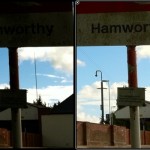
iPhone 4 HDR Photography and Why It’s Important
iOS 4.1 just went live. Among its many updates and improvements is a feature that is specific to the iPhone 4. iOS 4.1 when running on the iPhone 4 adds an HDR photography option to the camera app.
The HDR (High Dynamic Range) technique has been around since the 1930s, but this is the first time that it has been offered as a default option on a smartphone. What does it mean and should you use it instead of the standard photo option? Let’s find out. (Non HDR shots on the left, HDR shots on the right).
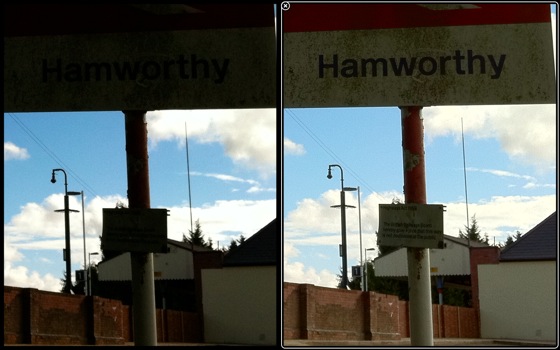
When you take a photo with the iPhone the exposure is automatically set to render the best possible range of luminance based on the centre of the scene or, if you tap on a part of the scene, that area. As I’m certain you have noticed for yourself, this means quite a bit of experimentation to find the best compromise between under and over exposure. Under expose the photo and you risk crushing all the blacks and dark colours, over expose the photo and you’ll surely end up with washed out colours and very little detail in the highlight areas.
Review: Proporta Recycled Leather case for iPad
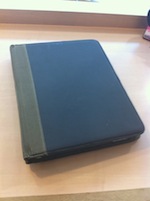 We’ve reviewed Proporta’s cases (and other equipment) for the iPhone before, but they now have a new range for the iPad. They’ve sent me a couple of cases, and the first one I’m looking at is their Recycled Leather case.

App Review: Trafficmaster Companion
I’ve already reviewed the CoPilot Live satellite navigation app for the iPhone, which I found to be almost like having a whole extra gadget inside my iPhone. One of the commenters on that review suggested I take a look at Trafficmaster Companion, which integrates routing based on live traffic data.
This is a very different kind of satnav app – there are no maps included at all, and very few user-configurable options. The philosophy of this app is very different to the traditional, “do everything” satnav from TomTom and Garmin.
So in this case, is less more?

App Review: Agendus
The native calendar app on the iOS is one of its weakest features but one that seems common among mobile devices. All of my past phones had poor native calendars that needed replacing with better third party options and the iPhone is no exception.
I’ve previously looked at Pocket Informant and was very impressed. The regular updates since my review have meant it continues to be an excellent replacement. After all this time though, I was curious to see if PI now had serious competition with the appearance of Agendus from iambic inc.
(more…)

App Review: CineXPlayer for iPad
This app has been generating quite a bit of interest over the past few days. Why? This isn’t the first app to play movies not supported by Apple – if you’ve jailbroken your iPad, you already have access to VLC4iphone, openstreamer and YXflash.
But now Apple has allowed an app onto the App Store that can play DivX and Xvid. No jailbreak required.
This is an interesting development, no doubt, but how does the app work in reality? Does it play files well, and does it suck battery?
Read on for my experiences with this app so far, plus (in a first for me), a video walkthrough!
iPhone case giveaway – Pro/Tec Executive and Energy, and VOi! Lorem
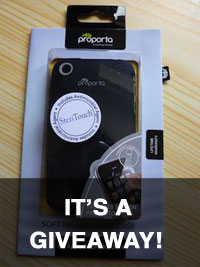
I’ve recently reviewed some more different cases and covers for the iPhone:
Pro/Tec’s battery-charging Energy, and their soft leather Executive, as well as Griffin’s elan form.
Well, the Griffin’s already been snaffled by a mate (sorry!), but I’m going to give the two Pro/Tec cases away. However, I do have another case knocking around which I’ll throw in.
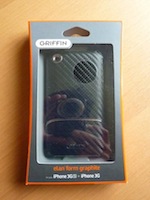 I’ve already looked two cases for the iPhone 3G & 3GS from Pro/Tec – the
Review: Pro/Tec Energy case for iPhone 3G and 3GS
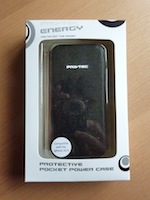 I’ve already looked at Pro/Tec’s Executive leather case, and now I’m moving on to their Energy case, which contains a battery to keep your iPhone going.
I’ve never tried one of these recharging cases before, so let’s see how I got on.
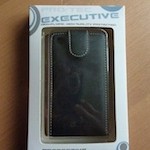
Review: Pro/Tec Executive case for iPhone 3G and 3GS
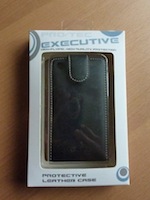 I have a few iPhone 3G / 3GS cases left over to review, so I’m going to write them up then give them away!
First up is the Pro/Tec Protective Leather case.